Mobile Gaming Controller
🎮 Ergonomic Design
Physical controllers are shaped to fit your hands comfortably for long gaming sessions, relieving finger fatigue compared to touchscreen play.
👉 Benefit: Comfortable hands‑on control for extended play.
🎯 Physical Buttons & Thumbsticks
These replace touchscreen inputs with tactile buttons, analog sticks, and D‑pads — making movement, aiming, and actions more precise. Almost like a console controller.
👉 Benefit: Better accuracy and control in games.
🏎️ Shoulder Triggers (L1/L2/R1/R2)
Extra trigger buttons let you map common mobile game functions (like firing or acceleration) to real hardware buttons instead of touch zones.
👉 Benefit: Faster reaction times and familiar layout for shooter/action games.
📶 Wireless & Wired Connectivity
Many controllers use Bluetooth to pair wirelessly with your phone, while others connect directly to the phone’s USB‑C or Lightning port for near‑zero input lag.
👉 Benefit (Bluetooth): Freedom from cables
👉 Benefit (Wired): Ultra‑low lag, no pairing hassles
🔋 Battery & Charging Features
Controllers may have:
👉 Benefit: Longer play without interruptions.
⚙️ Compatibility
Controllers vary in which devices and operating systems they support:
👉 Tip: Always check if the controller works with your specific device and games.
🧩 Extra Features Found on Some Models
-
Programmable buttons (assign macros or alternate functions)
-
Vibration feedback for immersive gameplay
-
Cooling fan integration (helps keep your phone cool)
👉 These features vary by model and price — higher‑end controllers often have more customization and performance enhancements.

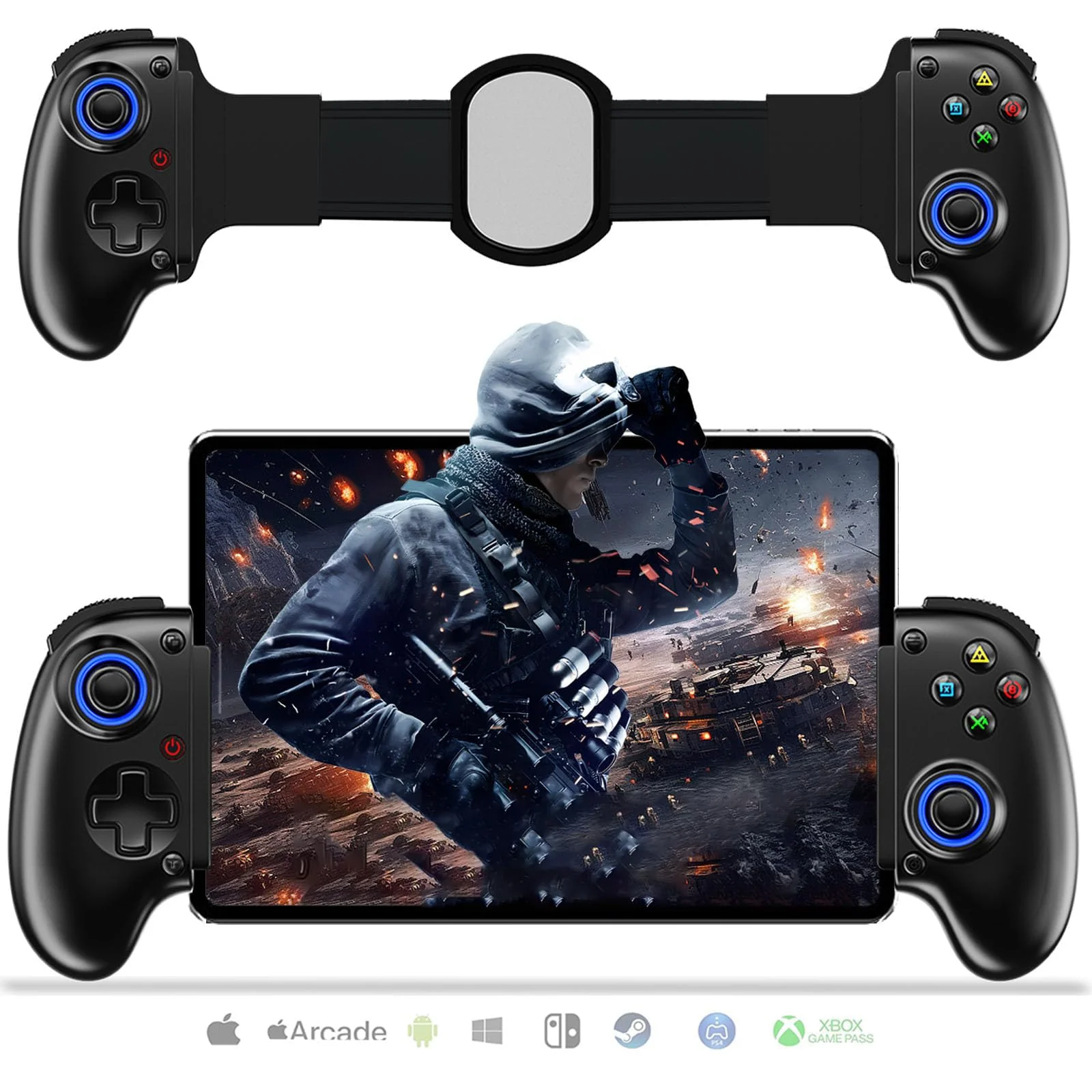
 Mobile Gaming Controller







Reviews
There are no reviews yet.